
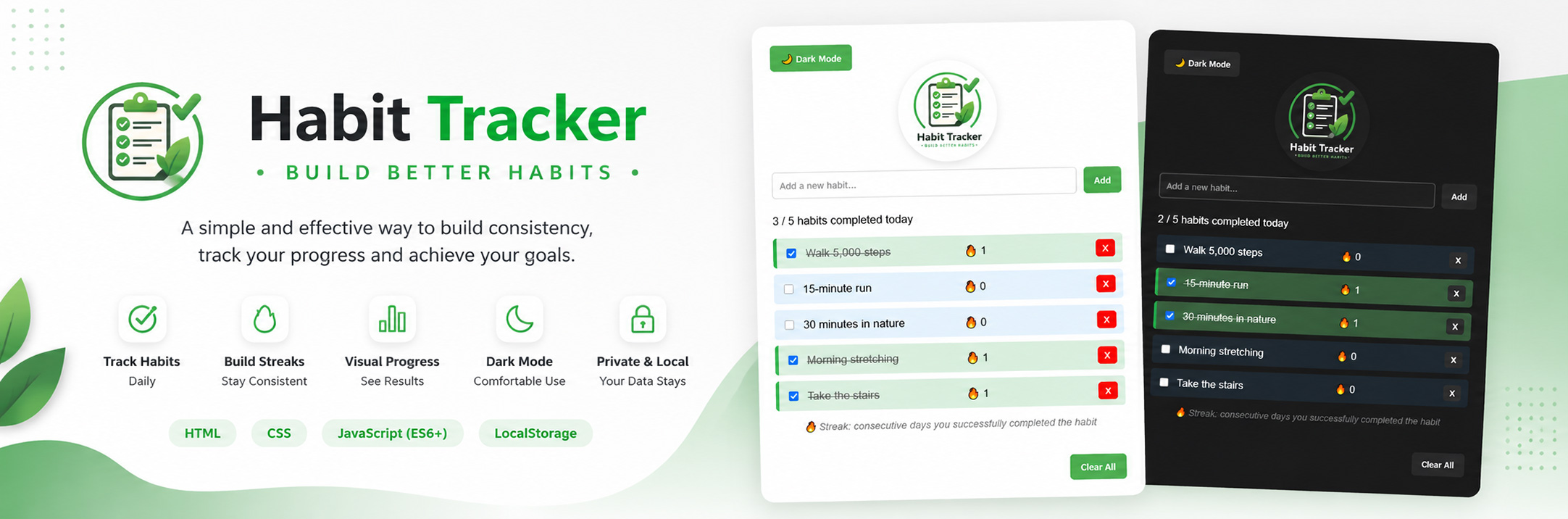
A Vanilla JavaScript Case Study
The Habit Tracker is a Vanilla JavaScript application designed to help users build consistent daily habits. It features localStorage persistence, daily streak tracking and a clean, user-friendly experience. More than a productivity app, this project served as a practical case study for strengthening my understanding of application state, DOM manipulation and data modelling.
Project Overview
The Habit Tracker is a Vanilla JavaScript application that helps users build consistent daily habits through a simple and intuitive interface. Users can create, complete and manage their daily habits while tracking their current streak and overall daily progress. All data is stored locally using the browser’s localStorage, allowing habits to persist between sessions.
Beyond its functionality, this project was intentionally built as a JavaScript case study. The primary goal was to strengthen my understanding of core frontend concepts such as application state, DOM manipulation, event handling and data persistence without relying on frameworks or external libraries.
Throughout the development process, I focused on writing clean, maintainable code while gradually adding features such as streak tracking, progress indicators, dark mode and interactive UI improvements. This project became an important milestone in my journey from writing isolated JavaScript functions to building complete frontend applications.
The Challenge
The main challenge of this project was not the user interface itself, but designing the application’s underlying logic. I wanted to build a habit tracker from scratch using only Vanilla JavaScript while keeping the code organized, maintainable and easy to extend with new features.
Another important challenge was managing the application’s state. Every user interaction, such as adding a habit, marking it as completed, deleting it or calculating daily streaks, had to update both the UI and the stored data consistently. This required careful handling of the relationship between the application’s state, the DOM and localStorage.
Finally, I wanted to move beyond simply making the application work. Throughout the project I focused on understanding the reasoning behind every implementation, improving the user experience with small but meaningful enhancements and writing code that was easy to read, debug and maintain.
The Solution
I approached the project by keeping the application’s state as the single source of truth. Instead of updating the interface directly after every user interaction, each action first updated the underlying data structure. The UI was then re-rendered based on the current state, ensuring consistency between the displayed information and the stored data.
To persist user data across browser sessions, I integrated the browser’s localStorage. Habits, completion history and streak information were stored as structured JavaScript objects, allowing the application to restore its previous state every time it was reopened without requiring a backend or database.
As the project evolved, I gradually introduced additional features such as daily streak tracking, progress calculation, dark mode and small UX improvements including clickable habit cards and visual completion feedback. Each new feature was built on top of the existing architecture, reinforcing the importance of writing modular, reusable and maintainable code.
Technical Details
Built with:
- HTML5
- CSS3
- Vanilla JavaScript (ES6+)
- DOM API
- Local Storage API
Key concepts:
- Application State Management
- Single Source of Truth (SSOT)
- DOM Manipulation
- Event Handling
- Local Storage Persistence
- Dynamic Rendering
- Array Methods (map, filter, forEach)
- Data Modelling with JavaScript Objects
- Streak Calculation Logic
- UX-Oriented Interface Design
Why I Built It
I built this project to strengthen my JavaScript fundamentals by creating a complete application without relying on frameworks or external libraries. Rather than focusing on the final result alone, my goal was to understand the reasoning behind every implementation and gain confidence in building real-world frontend applications from scratch.
This project became an important milestone in my learning journey. It helped me develop a deeper understanding of application state, DOM manipulation, data modelling and browser storage, concepts that later made the transition to React and more advanced frontend projects much more natural.
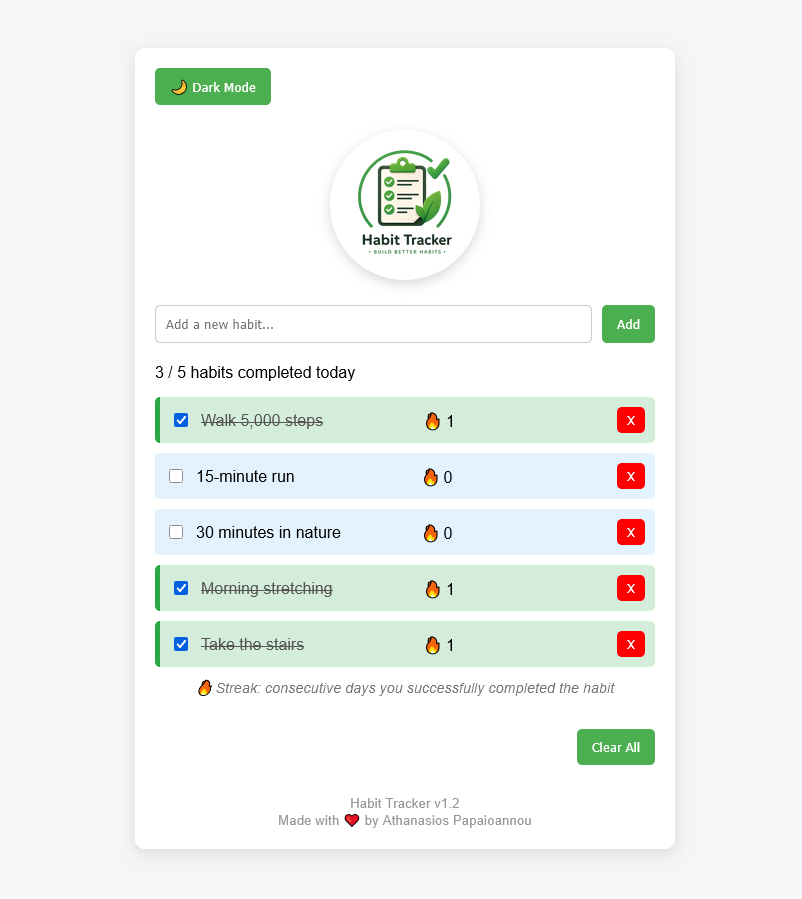
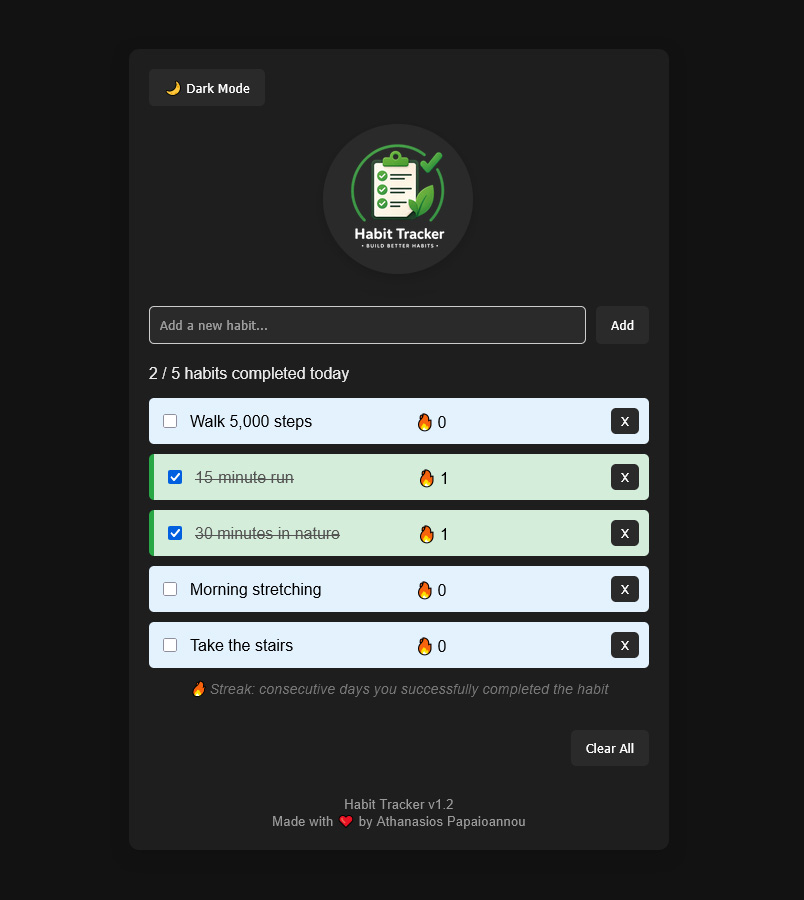
Interface & Screens
Key Learnings
Building this project fundamentally changed the way I approach frontend development. Instead of thinking in terms of individual functions or isolated features, I learned to design applications around a single source of truth, where the interface is always derived from the application’s state. This shift in mindset became one of the most valuable lessons of the entire project.
Another important takeaway was understanding that writing software is not only about making features work, but also about organizing code in a way that remains readable, maintainable and easy to extend. By gradually introducing new functionality without rewriting the existing architecture, I gained practical experience in building applications that can evolve over time.
Most importantly, this project gave me a much deeper understanding of JavaScript itself. Concepts such as DOM manipulation, event handling, localStorage, data modelling and rendering became much more intuitive through hands-on practice. The knowledge and confidence I gained here laid the foundation for my transition to React and more advanced frontend development.
Interested in
working together?
Let’s create something useful and meaningful.