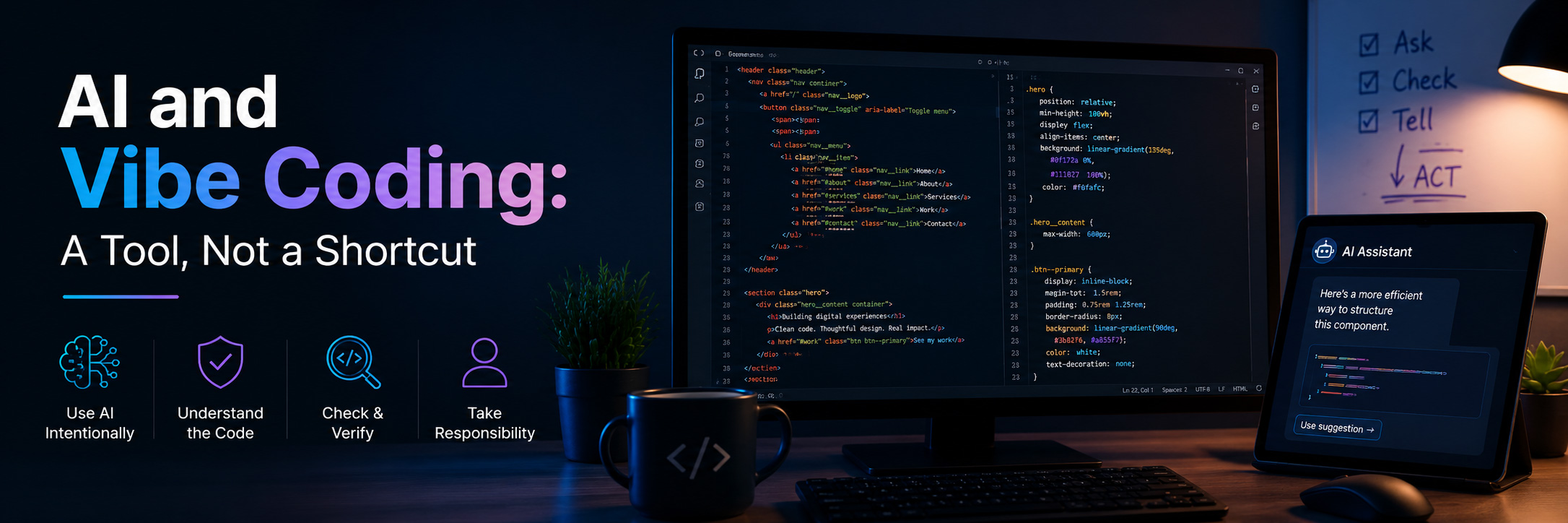
AI tools have become a normal part of modern front-end development. From code generation and debugging to writing documentation and exploring ideas, they can significantly speed up the development process.
But the real question is not whether we should use AI.
It is how we use it.
What Is Vibe Coding?
Vibe coding is a modern way of building software where developers rely heavily on AI tools to generate code, often by writing prompts instead of manually implementing every detail. It can feel fast and productive. You describe what you want, and the AI produces working code almost instantly.
However, speed does not always mean understanding.
And without understanding, there is no control.
Cases Where AI Helps the Most
AI is extremely useful in many parts of the development process:
- Writing repetitive or boilerplate code
- Refactoring existing code
- Explaining unfamiliar APIs
- Debugging and error analysis
- Generating ideas or solutions
- Helping with documentation
Used correctly, it can save a lot of time and reduce friction in daily work.
I use it often for exactly these reasons. In my daily work, it helps me write repetitive code faster, test different ideas, and understand errors more easily. It is a practical tool that saves time, especially during development and debugging.
Where AI Is Not Enough
Even if AI is powerful, there are still important things it cannot handle effectively.
For example, it can’t:
- Understand real business goals
- Make architecture decisions based on long-term needs
- Evaluate trade-offs between different solutions
- Fully understand user experience context
- Take responsibility for the final product
AI can generate code.
But it cannot understand the consequences of that code in a real product.
That responsibility always belongs to the developer.
The Risk of Blind Trust
One of the biggest risks of vibe coding is accepting generated code without fully understanding it.
It is easy to produce a working solution very quickly, but if a developer cannot explain:
- how the code works,
- why it works,
- how the problem solved,
- and what could possibly break,
then the problem is not actually solved but only postponed.
This often leads to technical debt that becomes harder to fix later.
The ACT Principle: Ask, Check, Tell
During my Google AI Professional Course I learned a great way to approach and make use of the AI.
The ACT Principle: Ask – Check – Tell.
↠ Ask
Ask yourself. Is AI truly needed for the specific task? Consider company policies regarding sensitive/confidential information (e.g., medical, financial, or legal data) before entering prompts.
↠ Check
Do not accept the result immediately. Check and review what the AI produced before putting it to use. Read the code. Understand it. Test it. Verify data for accuracy.
↠ Tell
Maintain transparency by communicating with your audience, clients, or team when AI was used to shape an output.
Make the final decision yourself. Use your knowledge and experience to decide what to keep, what to change, and what to discard.
This simple cycle keeps the developer in control of the process, so AI becomes an assistant, not an authority.
My Approach
I use AI regularly in my workflow. It helps me move faster, explore ideas, and solve problems more efficiently.
But I never treat it as a final source of truth due to the fact that every suggestion is something to evaluate, not something to blindly accept.
Working with both modern front-end coding technologies and CMS-based systems has also shown me something important:
↠ Different problems require different levels of complexity and different levels of trust in automation.
At the same time, it is important to remember that AI does not make UI or UX decisions. That responsibility belongs to the developer. We are the ones who define how an application should behave, how users interact with it, and what kind of visual experience we want to deliver.
AI can help us generate code, but it is us, the developers who provide the right context, structure, and prompts to shape a well-designed and usable application. I believe that understanding is still essential and always will be.
Final Thoughts
The future of development is not about choosing between AI and developers.
It is about developers who know how to work with AI effectively.
Tools will continue to improve.
But the responsibility for understanding, prompting, implementing, improving and debugging will always stay with us.
Because in the end, it is not about how fast we generate code.
It is about whether we understand what we are building.